Guide
Mouse Arm (RSI): Causes, Symptoms and Workplace Ergonomics
Mouse arm is the name given to pain in the hand, forearm or elbow that is associated with many hours at the computer. A well set-up workstation and regular breaks can reduce the strain on your arms.
4 min readUpdated on November 10, 2026
Contents
Key points at a glance
- “Mouse arm” is not a diagnosis in its own right but an umbrella term (also known as RSI).
- It may involve the tendon attachments at the elbow, the tendon sheaths or the nerves.
- Bent wrists, a mouse that is too far away and a rigid posture all put strain on the arm.
- Keep the mouse close to your body, rest your forearms and take frequent short breaks.
- Tingling, numbness or loss of strength should be checked by a doctor.
What is mouse arm?
“Mouse arm” is an informal umbrella term for complaints associated with repeated, uniform movements during screen work. Specialists also refer to it as RSI syndrome – RSI stands for repetitive strain injury, i.e. an injury caused by repeated strain.
Various causes can lie behind mouse arm: an overload of the tendon attachments at the elbow, as with tennis elbow or golfer's elbow, tendon sheath inflammation at the wrist, muscle tension or nerve irritation, as in carpal tunnel syndrome. That is why a medical assessment is so important.
Typical symptoms
Mouse arm usually develops gradually. At first, the symptoms only occur during or after work; later, they also occur at rest. Typical signs are:
- Dragging or burning pain in the hand, wrist, forearm or elbow
- A feeling of stiffness, heaviness or weakness in the hand
- Tingling or numbness in the fingers
- Tension in the neck and shoulders
- Symptoms that ease at weekends or on holiday and return when you go back to work
Causes: what puts strain on your arm at the desk
The mouse itself is not a heavy tool. What causes strain is the combination of many small, constantly repeated movements and a rigid posture for hours on end:
- Bent wrist: the forearm muscles are under constant tension.
- Mouse too far away: the shoulder and forearm are constantly involved.
- Unsupported forearm: without a rest, the muscles hold the arm up continuously.
- Unsuitable desk and chair height: this leads to hunched shoulders.
- Constant clicking without breaks: scrolling and precise positioning demand fine motor skills.
- Time pressure: under stress, people tend to grip the mouse more tightly.
- Laptops and smartphones: touchpads and small keyboards often hold the hands and fingers in awkward positions.
Checklist: how to set up your workstation
Mouse and keyboard
- Place the mouse directly next to the keyboard and close to your body
- Choose a compact keyboard without a number pad so that the mouse can be closer
- Keep your wrist straight – do not bend it upwards, downwards or to the side
- Hold the mouse loosely and guide it from the forearm rather than the wrist
- Choose a mouse to suit the size of your hand; some people find a vertical mouse more comfortable
- Increase the pointer speed and use keyboard shortcuts instead of lots of clicks
- Take your hand off the mouse when you are not using it
Posture and desk
- Upper arms hang loosely, shoulders are relaxed
- Forearms rest roughly horizontally on the desk or an armrest, elbows at about a right angle
- Only use a wrist rest if it does not push your wrist upwards
- For longer work on a laptop, use an external mouse and keyboard
- Position the screen so that you look slightly downwards
Breaks and variety
- Take short breaks often rather than long breaks rarely
- Loosen your fingers, shake out your hands, roll your shoulders
- Change activity: make phone calls standing up, walk a few steps
- Use a height-adjustable desk to alternate between sitting and standing
You will find more ideas on how to protect irritated tendons in everyday life under What helps with tennis elbow?
When should you see a doctor?
Because mouse arm can have various causes, have your symptoms checked by a doctor – especially if:
- the pain persists for several weeks or gets worse despite ergonomic adjustments
- you experience tingling or numbness in your fingers, especially at night
- your hand loses strength or you drop things
- swelling, redness or warmth also occur
- the symptoms persist even at rest or radiate into the shoulder and neck
The sooner the cause is known, the more specifically it can be addressed – for example with physiotherapy, temporary relief of strain or ergonomic aids.
When the Masalo Cuff may be an option
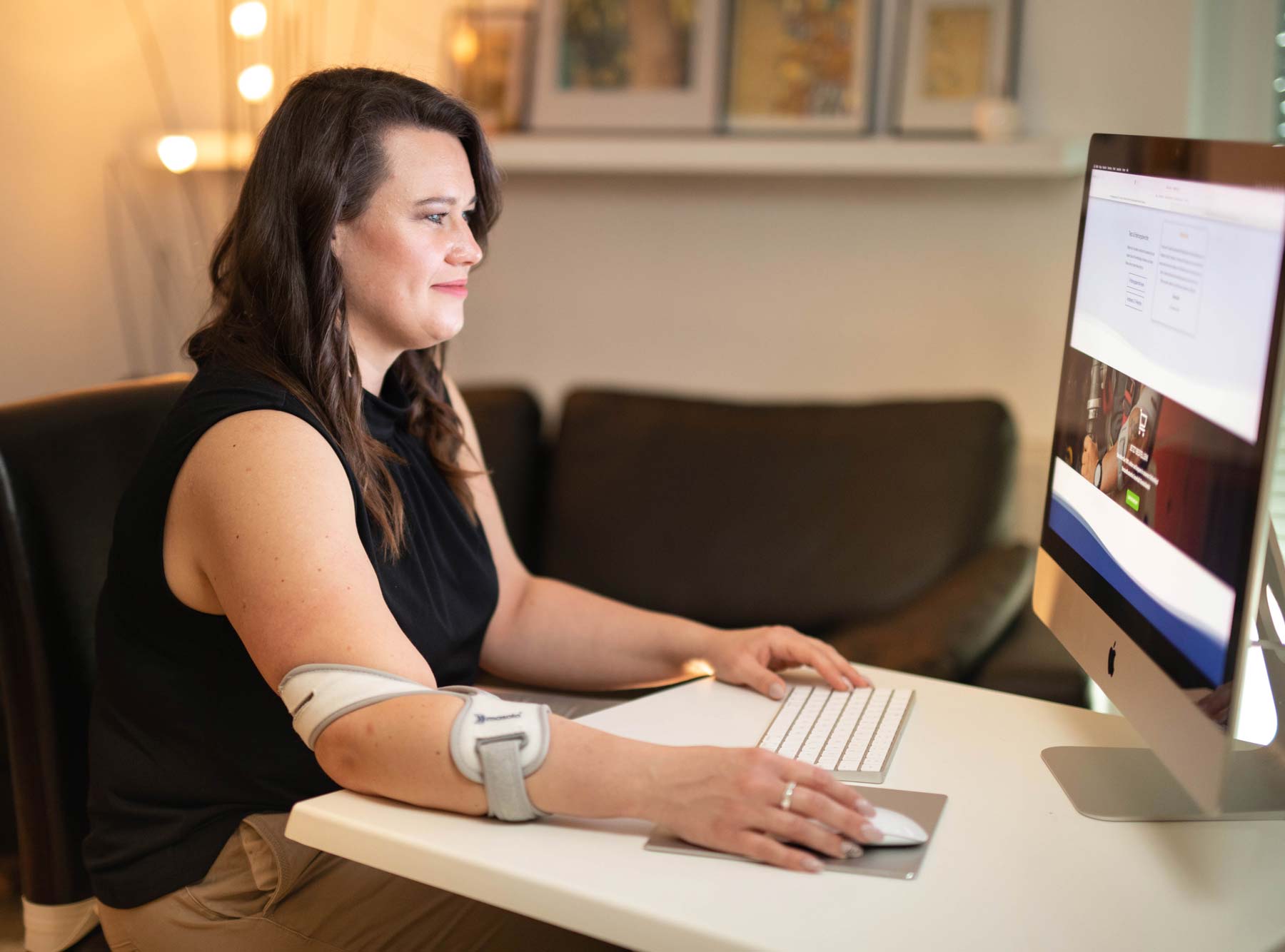
If the symptoms originate from the tendon attachments at the elbow, the Masalo Cuff MED can be used. With its counter-traction principle, it is intended to relieve the irritated attachments while you continue to move your arm and hand normally – including when typing and using the mouse. How it works explains the principle. Practical in the office: the cuff can be worn discreetly under a shirt or blouse.
If the cause lies in the wrist, the tendon sheaths or a compressed nerve, it is not the right aid. It does not replace a well set-up workstation.